
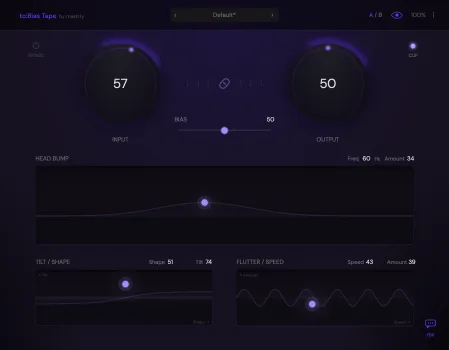
to:Bias Tape
Analog tape character. Zero excuses.
Saturation, warmth, and mechanical movement for your mixes.
Designed by a mastering engineer. Built for real sessions.
VST3 · AU · macOS · Windows · Ultra Low Latency
A little goes a long way.
to:Bias Tape does one thing and does it well: it makes your
digital recordings feel like they passed through a real tape
machine. Subtle saturation, gentle compression, low-end weight,
and that sense of movement you can't fake with an EQ.
Most controls don't need big moves. A few dB of input, a slight
shift in bias, a touch of flutter. Start small, trust your ears.
And if you want you can go extreme, of course!
Drive it. Tame it. Take control.
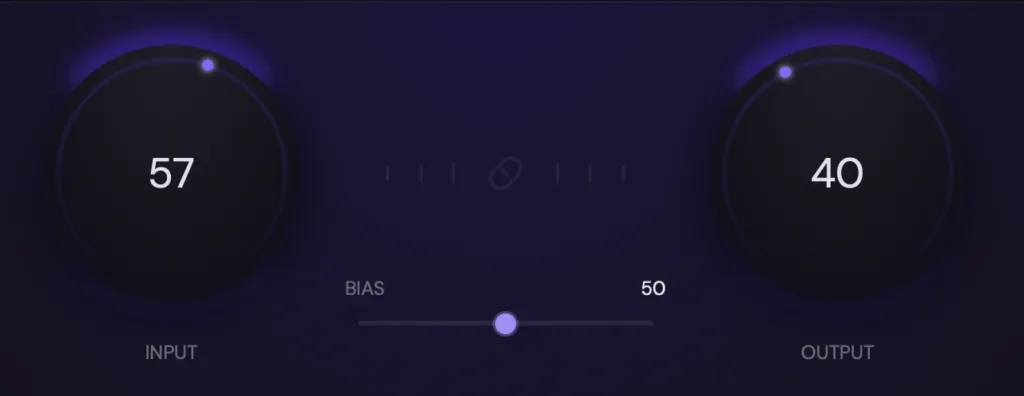
Input controls how hard you hit the tape. Push it for harmonics and gentle compression. Keep it low for subtle warmth. The Link button locks Input and Output together, so you can dial in more
saturation without changing your overall level.
Bias sits between the two knobs and shapes how the high frequencies respond. Smooth and warm at higher values, grittier and more present down low. Small moves around the center change the entire character.
Two parameters. One pad. All the tone you need.
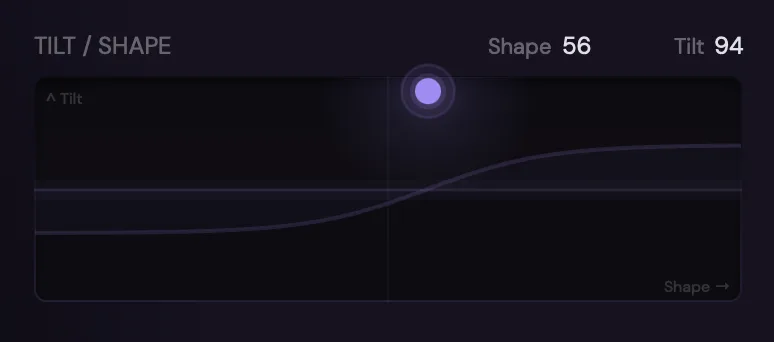
TILT/SHAPE is a tone-shaping section inspired by analog noise reductioncircuits (Emphasis / De-Emphasis). Shape controls brightness. Tilt controls how forward or relaxed the midrange feels. They share one XY pad because they interact with each other, just like they do in real hardware.
The frequency curve in the background shows you what's happening. But the real test is what you hear: subtle shifts that change the entire vibe of a track without touching an EQ.
Movement that breathes.
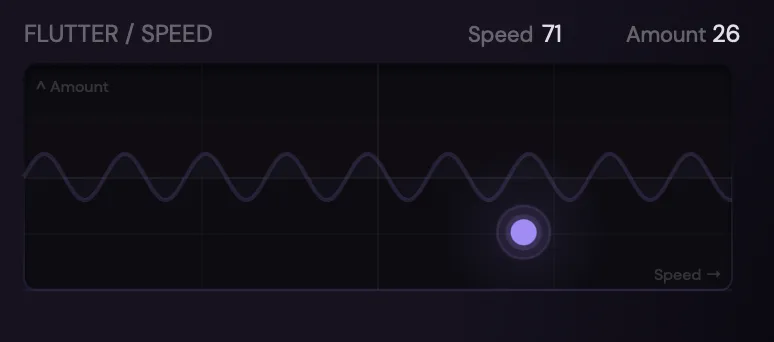
Flutter adds pitch instability from real tape transport. The kind of subtle wobble that turns a static recording into something that feels alive. It also gently widens the stereo image.
Amount controls intensity, Speed controls modulation rate. Somewhere between 10 and 25 on the Amount axis is where most engineers land: enough movement to feel it, not enough to hear it.
The low end only tape can give you.
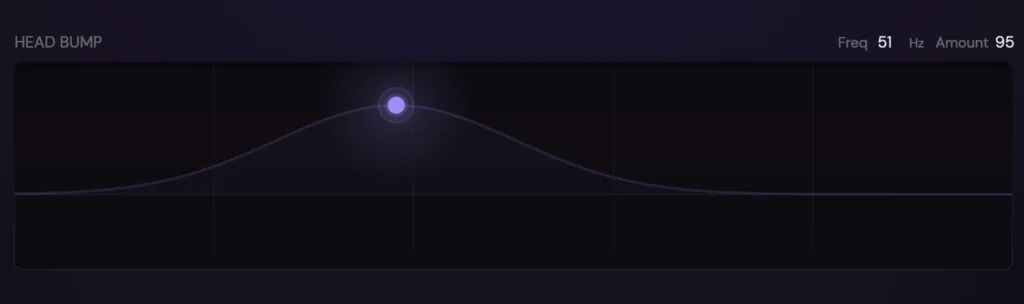
Head Bump reproduces the bass resonance of a real tape head: a focused boost with a natural dip below it. The kind of low-end weight that sounds big without getting muddy.
Drag the point to set frequency and amount. Around 100 Hz is the classic sweet spot. An amount of 20–40 adds weight you can feel on any playback system.
Every stage interacts. Just with real tape.
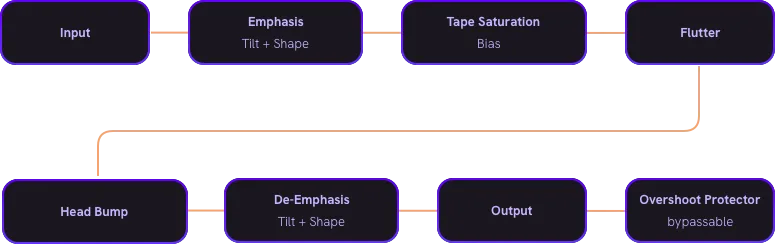
The signal passes through a complete tape path:
Tone shaping before + after the saturation core, adjustable bias response, mechanical flutter, and a resonant head bump. Each stage feeds into the next, the way it does in real hardware.
A/B Comparison
Store two complete snapshots. Flip between them to hear the difference instantly.
Focus Mode
Turn off all visual feedback with one click. Mix with your ears, not your eyes.
Precision Editing
Double-click to reset any control. Click a value to type it in. Shift+drag for fine adjustments.
Hear what it does.
Dry Signal (No Effects)
to:Bias – Level Adapted
to:Bias – Loudness Adapted
Toggle between the original and the processed signal.
These are real-session settings, not extreme demonstrations.
Made by someone who uses real tape.
I've been mixing and mastering for over 20 years, andI still run sessions through my real tape machine. I love what it does to a signal. But tape is a commitment: reels wear out, new-old-stock is expensive, you need to route everything through it, and you're limited. It's not something you can take to a session on a laptop.
I wanted that sound without the hassle.
So I tried every tape emulation I could find. Spent hundreds of euros. Most of them were fine, none of them felt right. Then I found Chris Johnson's ToTape algorithm. Out of the box, it was the closest to what I was hearing from my machine. But the interface wasn't usable for me, and I had a few ideas on what to add.
So I built on top of it instead of reinventing the wheel. The result is to:Bias Tape. No iLok. No subscription. No guessing pages of parameters.
14-day trial, 14,99 € if you want to keep it. That's it.
– Tobi, mastr.ly · Leipzig

Specifications
| Formats | VST3, AU (AAX will come soon) |
| Platforms | macOS, Windows |
| Latency | Ultra Low (0–1 samples in most cases) |
| Sample Rates | All sample rates supported |
| Processing | Stereo |
| Authorization | License key (no iLok, no dongle) |
| Free Trial | 14 days, full version |
Can't afford it right now? Talk to us.
We know what it's like to be a musician.
If 14,99 € isn't in the budget right now, send us an email. We'll figure something out.
No questions asked.
plugins@mastr.ly
Try it. Then decide.
14-day free trial. Full version, no limits.
Download, drop it on a track, and hear what it does.
Even after the trial, your sessions stay intact. You just can't change parameters until you buy a license.
One-time purchase · No subscription · No iLok
One-time purchase · No subscription · No iLok